Create an API key and pull your data
Mint a scoped API key, make your first call for scores, metrics, brands and responses, and revoke a key the moment it leaks.
About 10 minutes · Any paid plan · 6 steps
Open API Keys
In your workspace, open Settings. On the General tab, find the API Keys card and click Manage. Keys belong to the workspace, and only admins can create or revoke them. During a trial the card explains that API access opens with any paid plan.
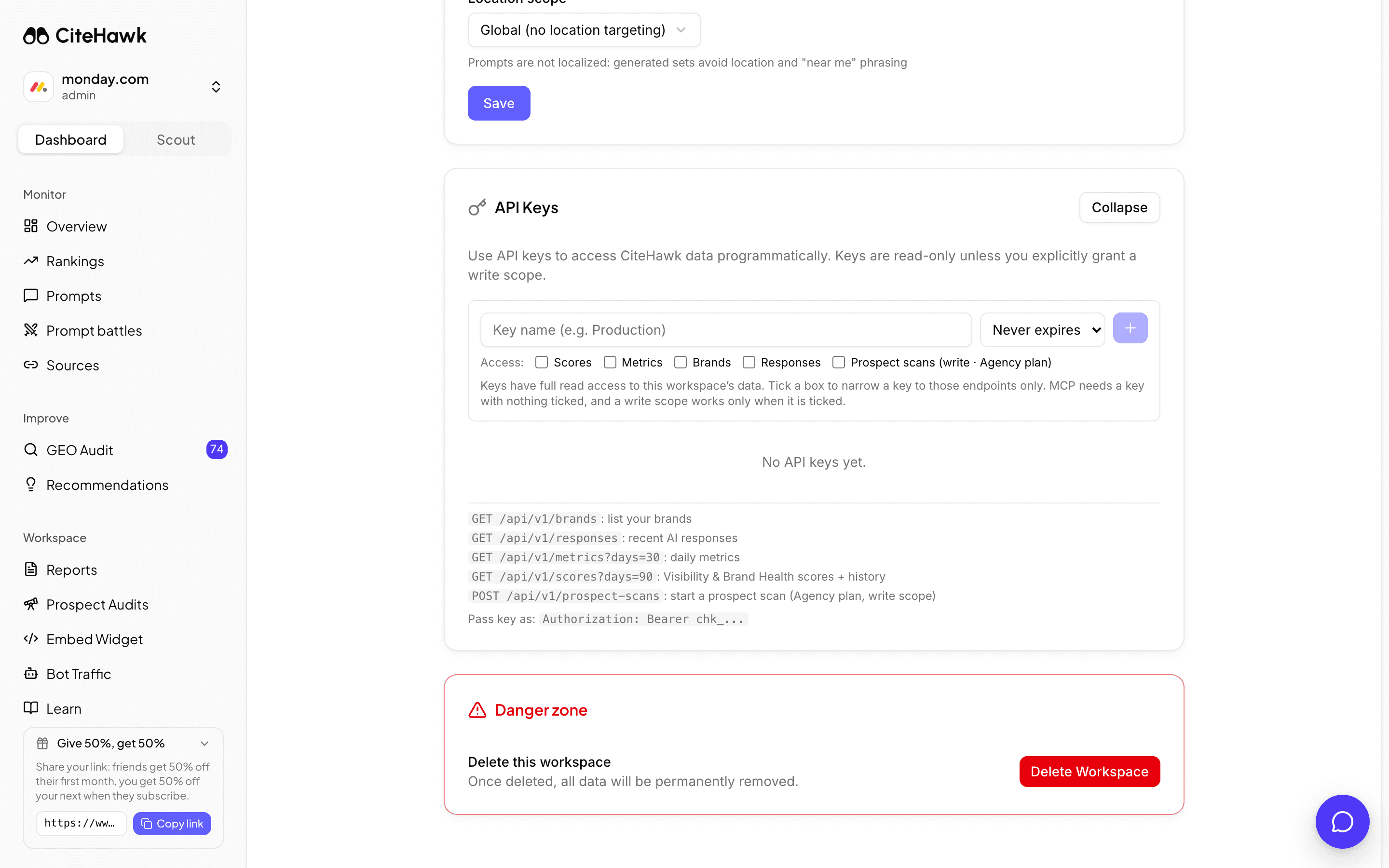
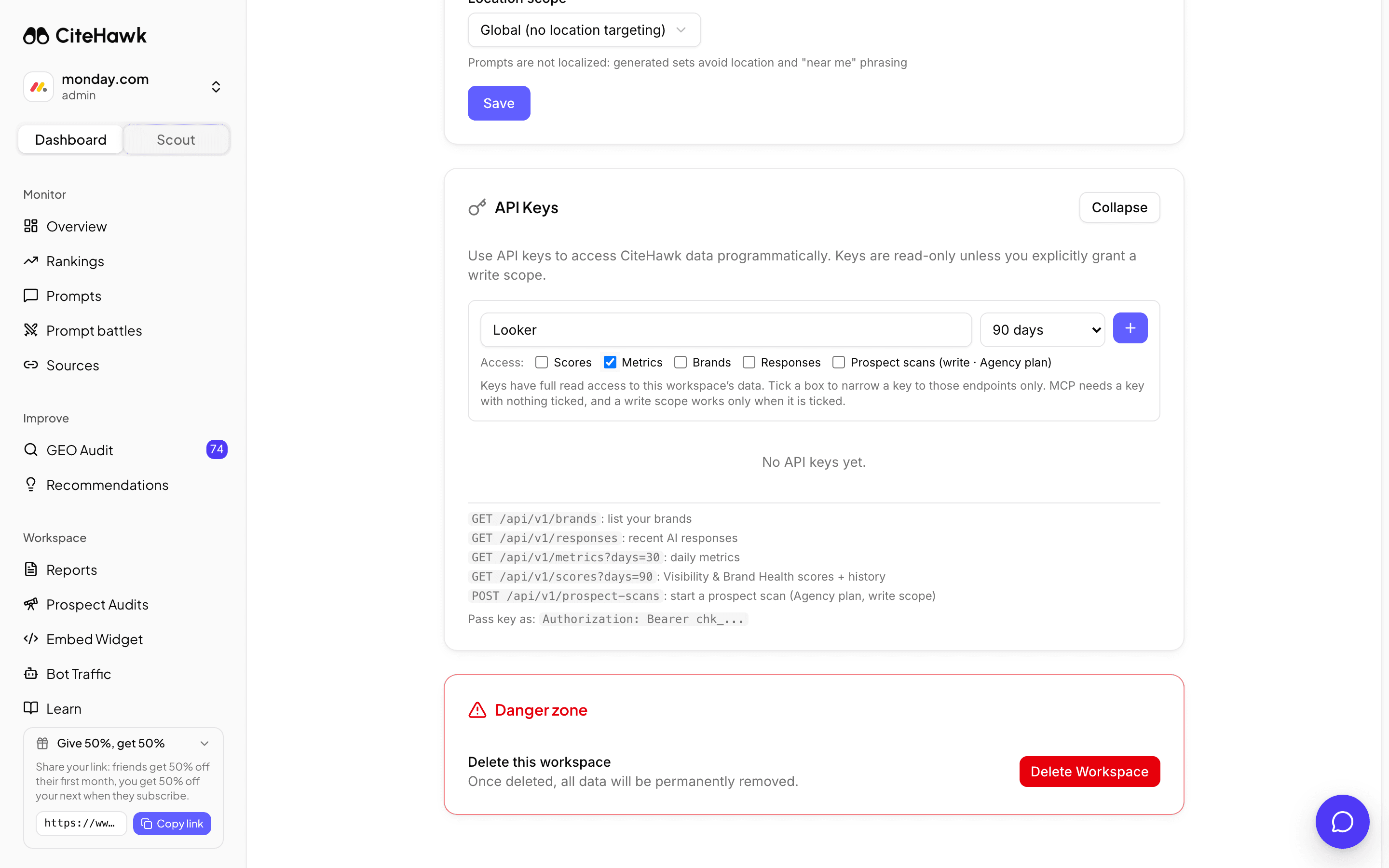
Name it, scope it, set an expiry
Give the key a name that says where it lives, such as Looker or Production. Pick an expiry: never, 30 days, 90 days or a year. Tick only the scopes the integration needs; with nothing ticked the key can read everything. Leave it unscoped if it is for the MCP server, which needs full read access. Prospect scans is the one write scope, and it needs the Agency plan.
Copy the key once
The full key is shown a single time, in the panel that says Save it now. Copy it into your secrets store straight away. CiteHawk keeps only a fingerprint, so a lost key cannot be recovered, only replaced.
Make your first call
Send the key as a bearer token. The metrics endpoint is the quickest check that it works; the quickstart and the full API reference under Docs list every endpoint.
HeaderRequestYou should see: The response is JSON with your visibility metrics for the last seven days.
Revoke a key the moment it leaks
Each row shows the name, the first characters of the key, when it was last used and when it expires. Use the remove control and confirm Revoke key; anything using that key loses access immediately. Mint a new one and swap it in.
Go further: Looker Studio and your own AI
The same keys feed the Looker Studio connector (a key with the Metrics scope) and the MCP server, which lets ChatGPT, Claude and other agents query your workspace directly (an unscoped key). Both are documented under Docs.
If something doesn’t look right
The card says API access unlocks on a paid plan
Your workspace is on its trial. Everything else in the trial is open; API keys are the one thing that waits for a plan.
Every call returns 401
The key is revoked, expired, or the header is wrong. The header is Authorization: Bearer followed by the full key, and the key starts with chk_. Check the row for Expired and mint a new key if needed.
Prospect scans return 403
That endpoint writes, so the key needs the Prospect scans scope ticked at creation, and the workspace needs the Agency plan.