Claim your AI Index listing and badge
Verify your brand on the CiteHawk AI Index for free: the verified mark, movement alerts, and a certificate badge once you hold a top-ten spot in a monthly edition. Claiming never touches your rank.
About 5 minutes · 6 steps
Find your brand on the Index
The CiteHawk AI Index at citehawk.com/leaderboards ranks brands by how AI models actually answer category questions. Open your category, then click your brand to open its page. Every listed brand has one, claimed or not.
You should see: Your brand page shows its rank history and, near the title, the pill "Is this your brand? Claim it free".
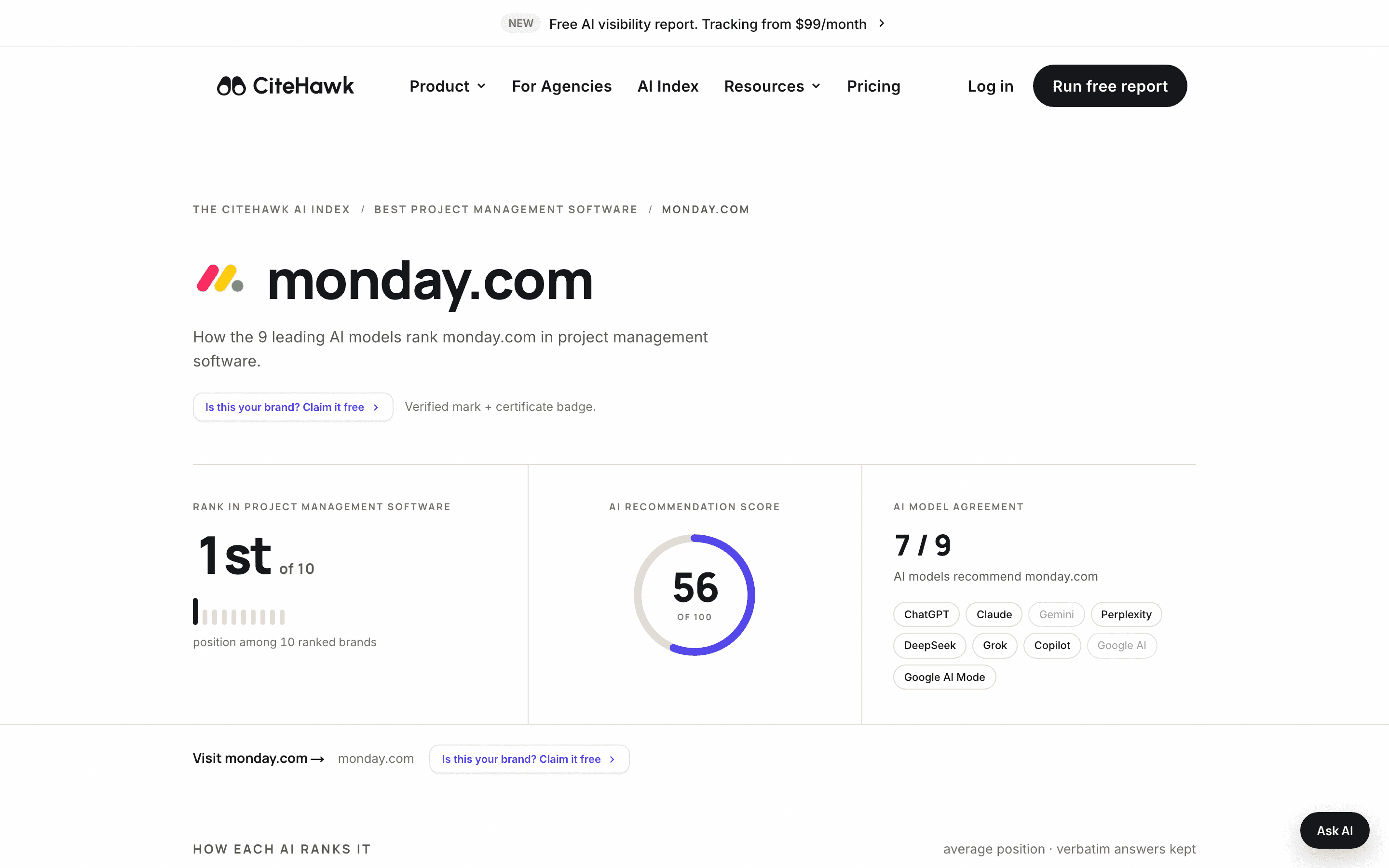
Start the free claim
Click the claim pill. Verify your email, complete free workspace setup, and submit your claim for human review. Claiming never changes a ranking: positions on the Index are computed from AI answers only and are not for sale.
You should see: The claim page shows your domain, favicon and current rank, and asks you to confirm the domain is yours.
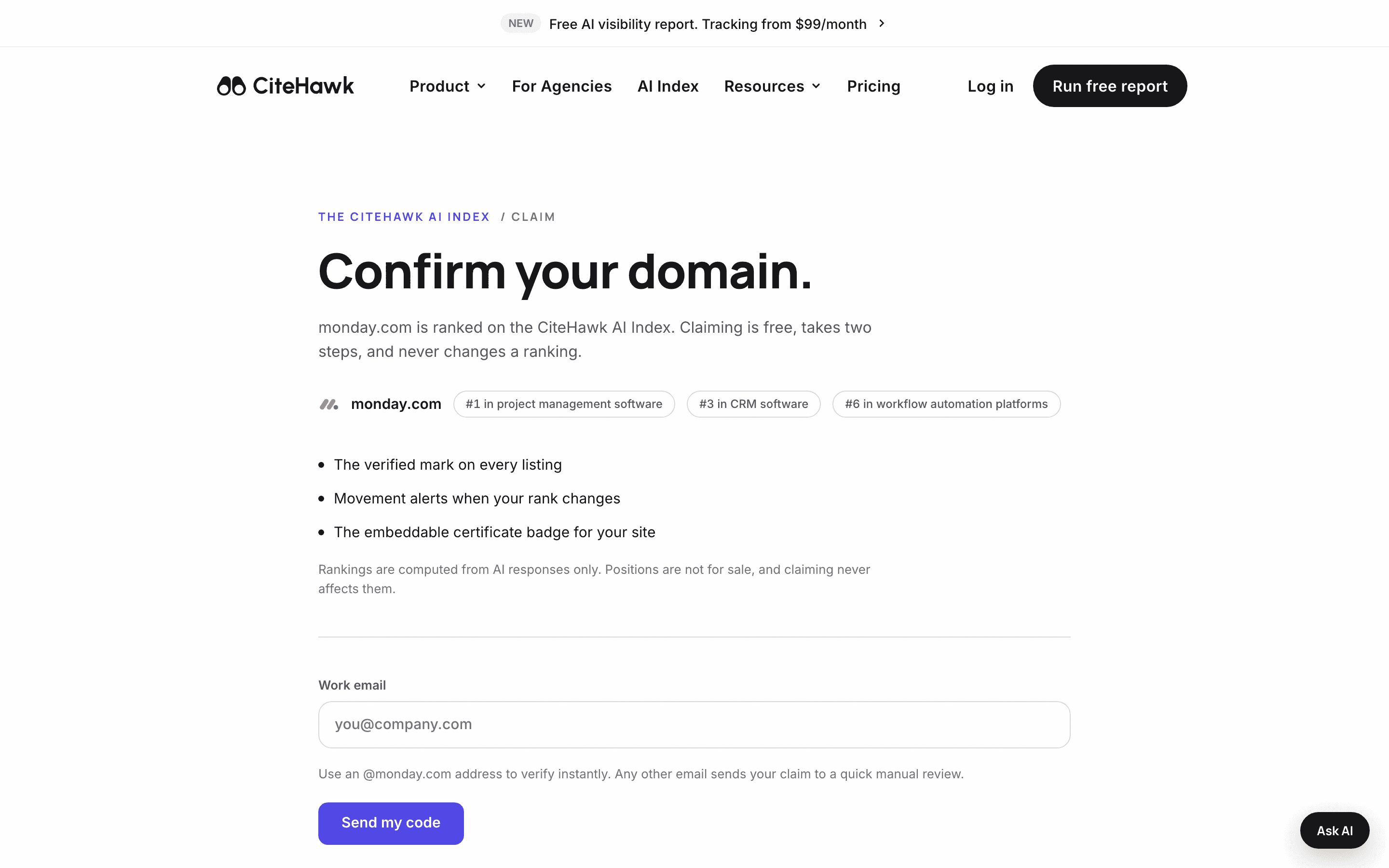
Verify with your work email
Enter your work email and select Verify email after entering the 6-digit code. This verifies your email address; it does not submit or approve your claim. All claims require human review, including those with a matching email domain.
You should see: The page confirms your email is verified and explains that workspace setup is still needed to submit your claim.
Finish your free setup
Complete your free workspace setup to submit the claim, then return to its claim page to see the review status. Already have an account? Sign in from the claim page, choose a workspace you administer, and select Submit claim for review. You can also claim your primary brand from Settings.
Spot the verified mark
Once approved, your listing carries the verified mark on the category board and your brand page, and movement alerts tell you when your rank changes. The mark signals to buyers, and to the AI models reading the Index, that the brand stands behind its listing.
Embed the certificate badge
When your claimed brand holds a top-10 spot in a frozen monthly edition, its public brand page grows a badge builder. Choose the monthly award or the living certificate, pick a finish, and copy the embed code onto your site. The badge links back to the ranking that earned it.
You should see: The Copy embed code button flips to Copied.
If something doesn’t look right
My brand is not on the Index yet
Listings are earned, not submitted: brands enter a category as AI models start naming them in its questions. Run your free visibility report to see where you stand today and what the AI models cite for your category; improving those sources is what moves you onto the board.
My login email is not at my brand domain
Submit from a workspace admin account and explain your relationship to the brand, including a public page that supports it when available. Our team reviews the relationship and emails the decision. Matching-domain claims also require human review.
I claimed, but I see no badge on my brand page
The certificate badge appears once the brand holds a top-10 spot in a frozen monthly edition. The verified mark and movement alerts are active from approval regardless of rank.
Someone else already claimed my brand
Contact info@citehawk.com and we will sort it out. Claims are human-reviewed, and a claim by the wrong party is reversible.