Confirm what AI says about your brand
Review the claims AI models make about your brand, approve, reject or correct each one, and switch on Accuracy scoring for the workspace.
About 10 minutes · 5 steps
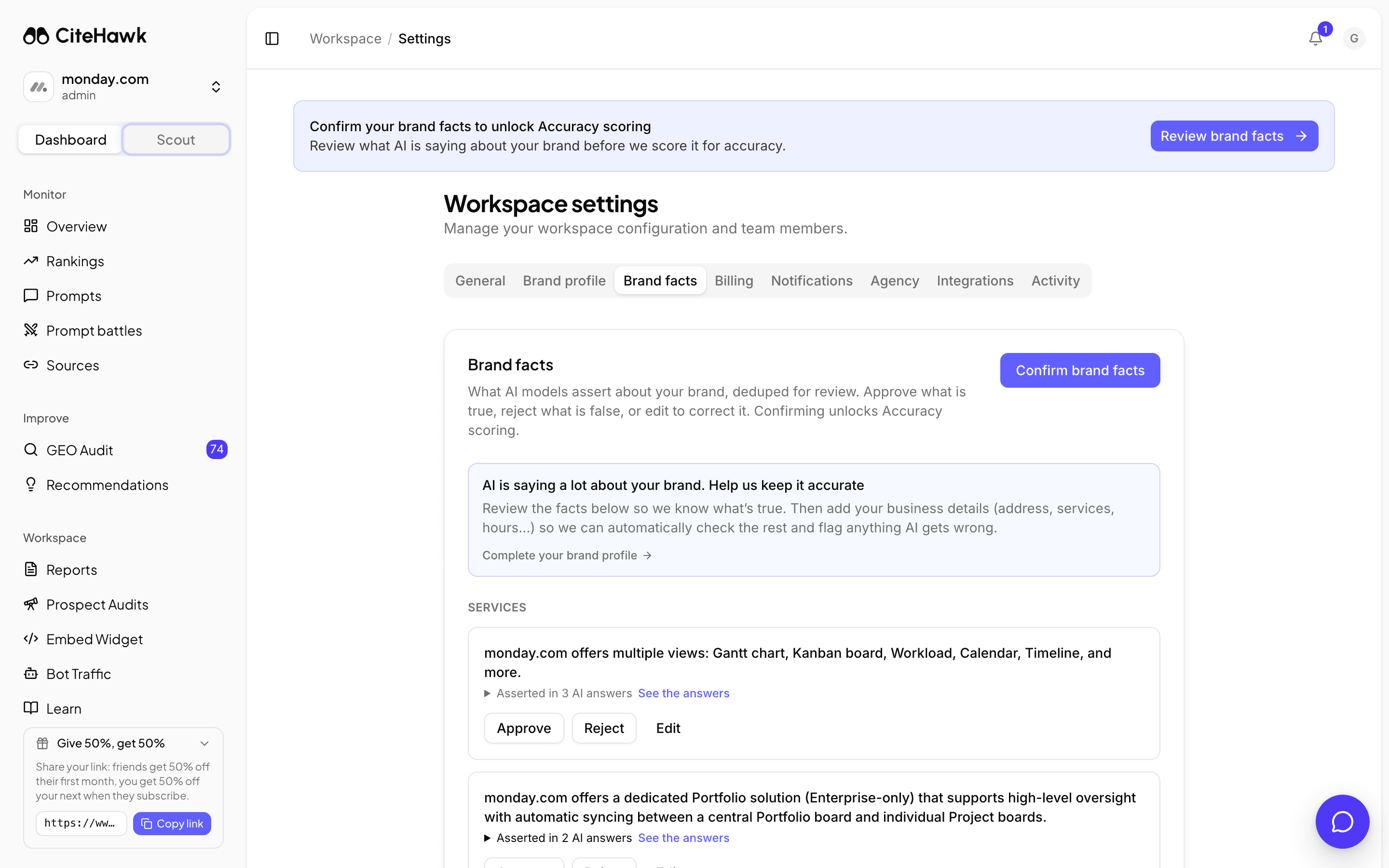
Open Brand facts
After each collection, CiteHawk pulls the claims AI models make about your brand out of their answers, removes the duplicates, and files them under Services, Location, Pricing and Other facts. Open Settings, then Brand facts. Until the first confirmation, the banner at the top of your dashboard takes you there too.
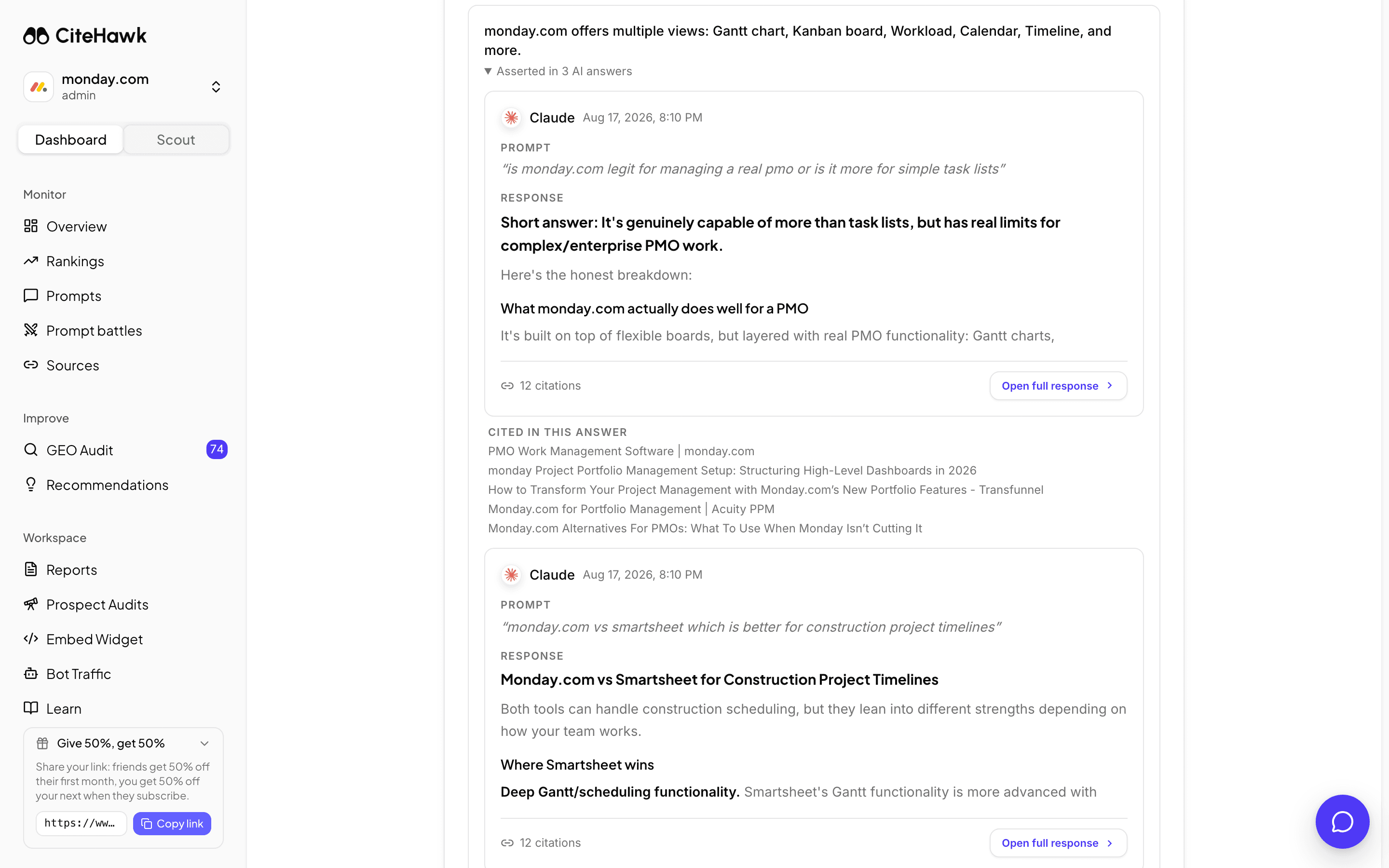
Read the answers behind a fact
Each fact says how many AI answers assert it. Open See the answers to read the exact responses, with the pages they cited, before you judge it. Facts that came from your own site scan are marked From your site scan.
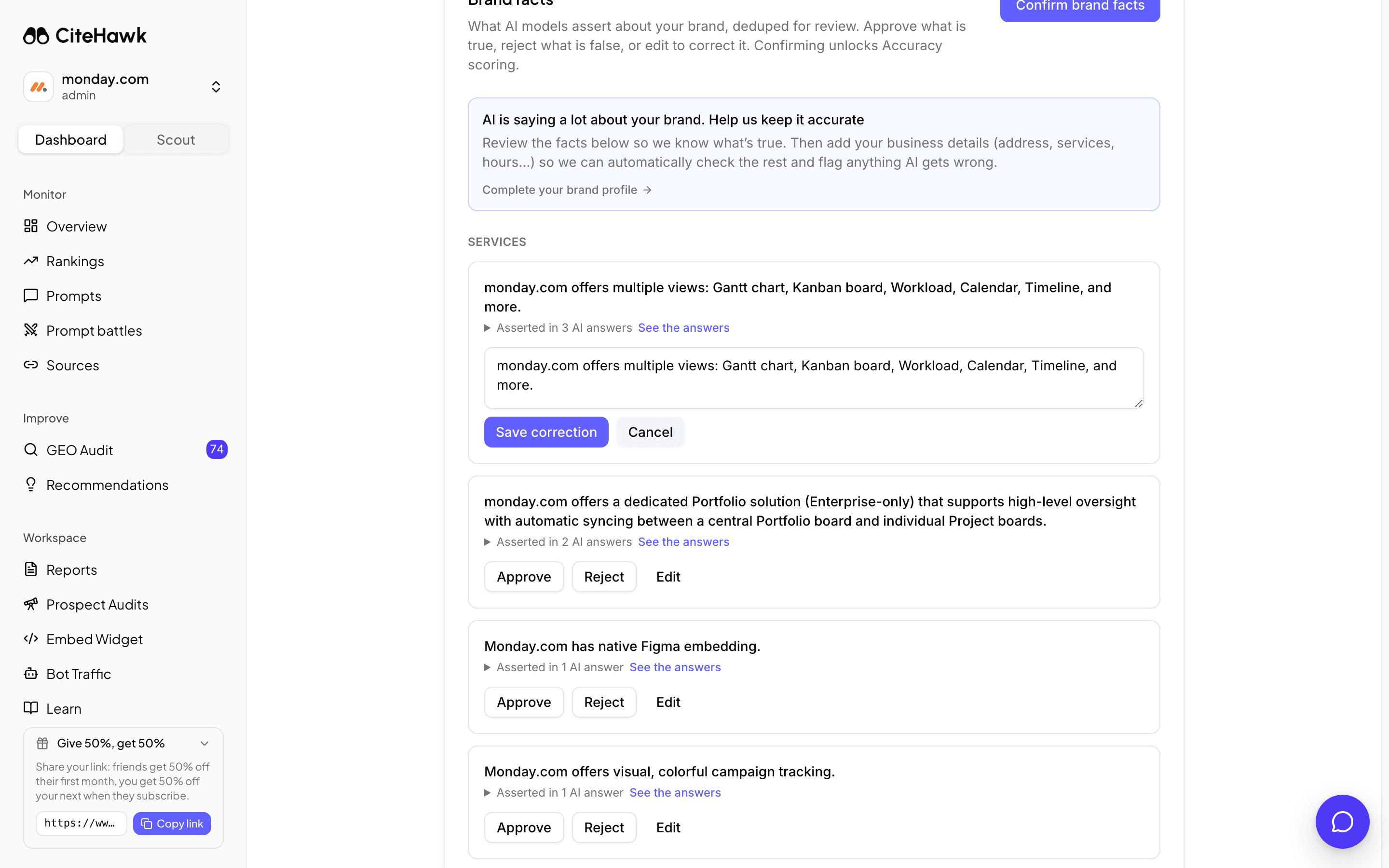
Approve, reject or correct
Approve a true fact and it joins your brand profile, so every future prompt and Scout briefing carries it. Reject a false one and CiteHawk writes a correct-the-record recommendation for it. Edit lets you fix the wording; the corrected text is what gets saved.
You should see: Each decision confirms in a toast and the fact moves down to Reviewed facts.
Confirm to unlock Accuracy scoring
Once you have been through the list, click Confirm brand facts. Accuracy scoring switches on for the workspace and the dashboard banner goes. New facts keep arriving after each collection and land in the same place; a small reminder pill on the dashboard tells you how many are waiting.
You should see: A toast reads Brand facts confirmed. Accuracy scoring is unlocked, and the card shows the confirmation date.
Find what you decided
Reviewed facts at the bottom of the card lists every verdict, with the corrected text wherever you edited one. If the panel above it says AI is saying a lot about your brand, open Complete your brand profile: the more of your profile is filled in, the fewer claims arrive unverifiable.
If something doesn’t look right
No facts are waiting for review
Facts appear after each collection run. A brand-new workspace has them a few minutes after its first report; if the list stays empty after a run, the AI models made no checkable claims in that batch.
See the answers says the answers are no longer stored
The responses behind an older fact have aged out of storage. The fact itself is still valid to review; judge it on what you know to be true.
Accuracy still says it is locked
Accuracy scoring needs the Confirm brand facts click, not just individual verdicts. It scores from the next collection after confirmation.