Put CiteHawk widgets on your site
Add Ask-AI buttons that send visitors to ChatGPT with your question filled in, and capture leads with the embedded visibility checker.
About 10 minutes · Any paid plan · 6 steps
Open Embed widgets
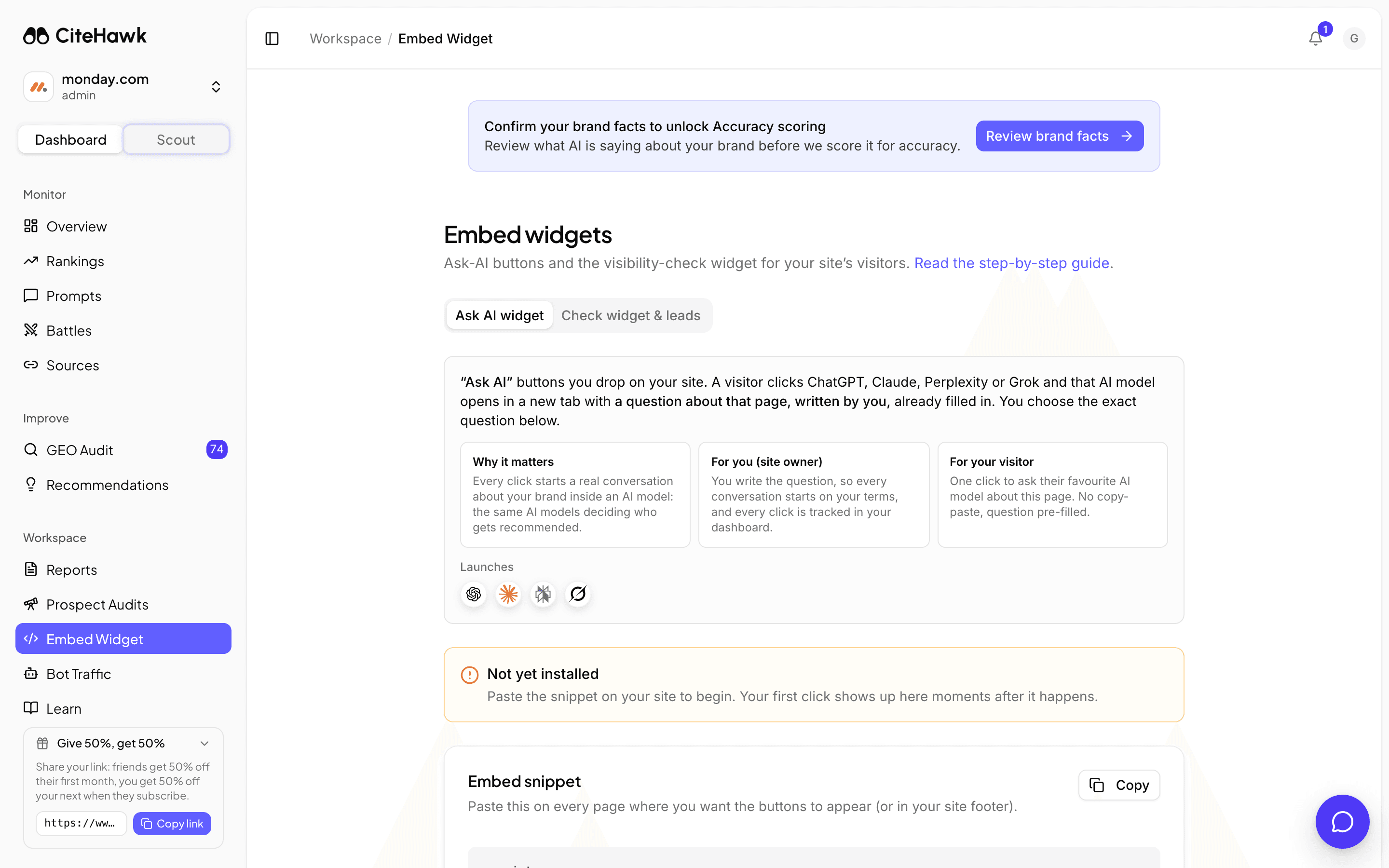
Open Embed from the sidebar. Two widgets live here on their own tabs: the Ask AI widget, buttons that send a visitor to an AI model with your question about the page already filled in, and the Check widget, a lead-capturing visibility checker that runs on your site.
You should see: The Ask AI widget tab is open with the embed snippet and appearance controls.
Paste the Ask-AI snippet
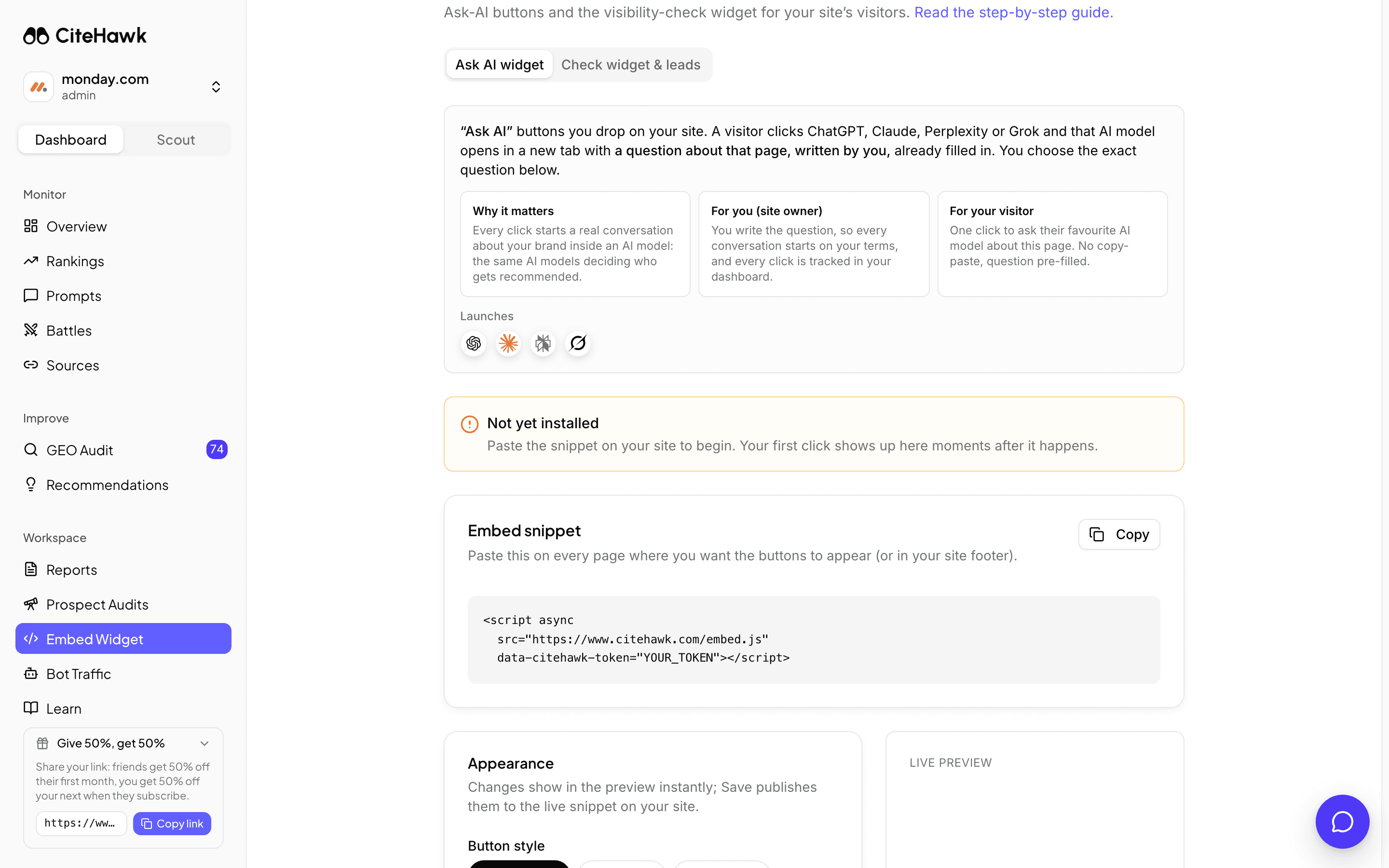
Copy the embed snippet and paste it on every page where the buttons should appear, or once in your site footer. A visitor who clicks ChatGPT, Claude, Perplexity or Grok gets that AI model opened with your question about the page already typed, which turns your pages into the source the AI reads next.
You should see: The buttons render on your page where the snippet sits.
Make it look like your site
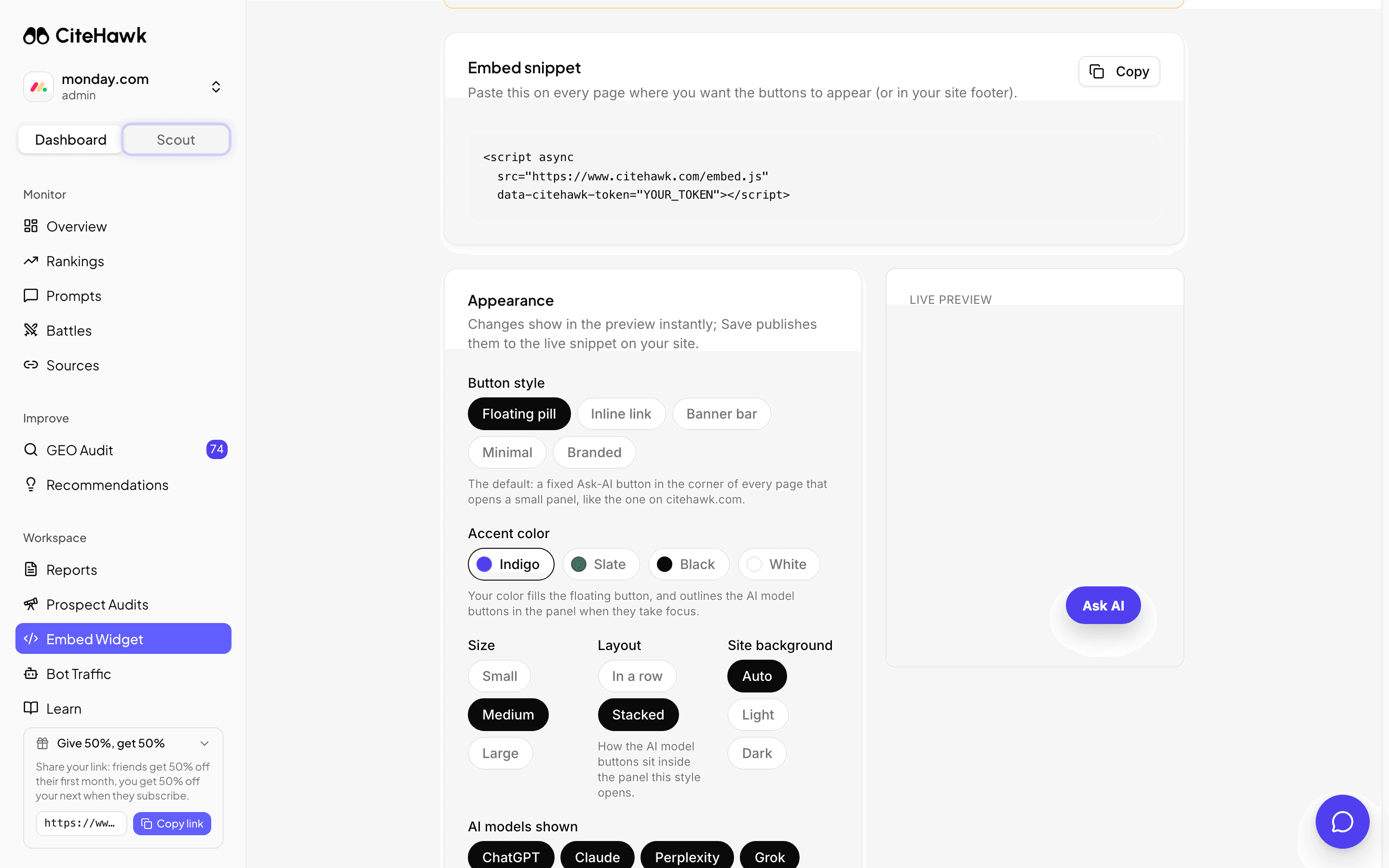
The Appearance card controls the button style, accent color, size, layout, which AI models show, and most importantly the question a click asks. Write that question the way you want AI to frame your page. Changes show in the preview instantly; Save publishes them to the live widget with no snippet change.
You should see: The live preview beside the controls matches what you set.
Verify the install
The panel at the top of the tab tracks your install. It reads Not yet installed until the first real click, then flips to Live with the page it happened on and a per-model click count. Open your site and click a button yourself to light it up.
You should see: The panel shows Live with your first click moments after it happens.
Capture leads with the Check widget
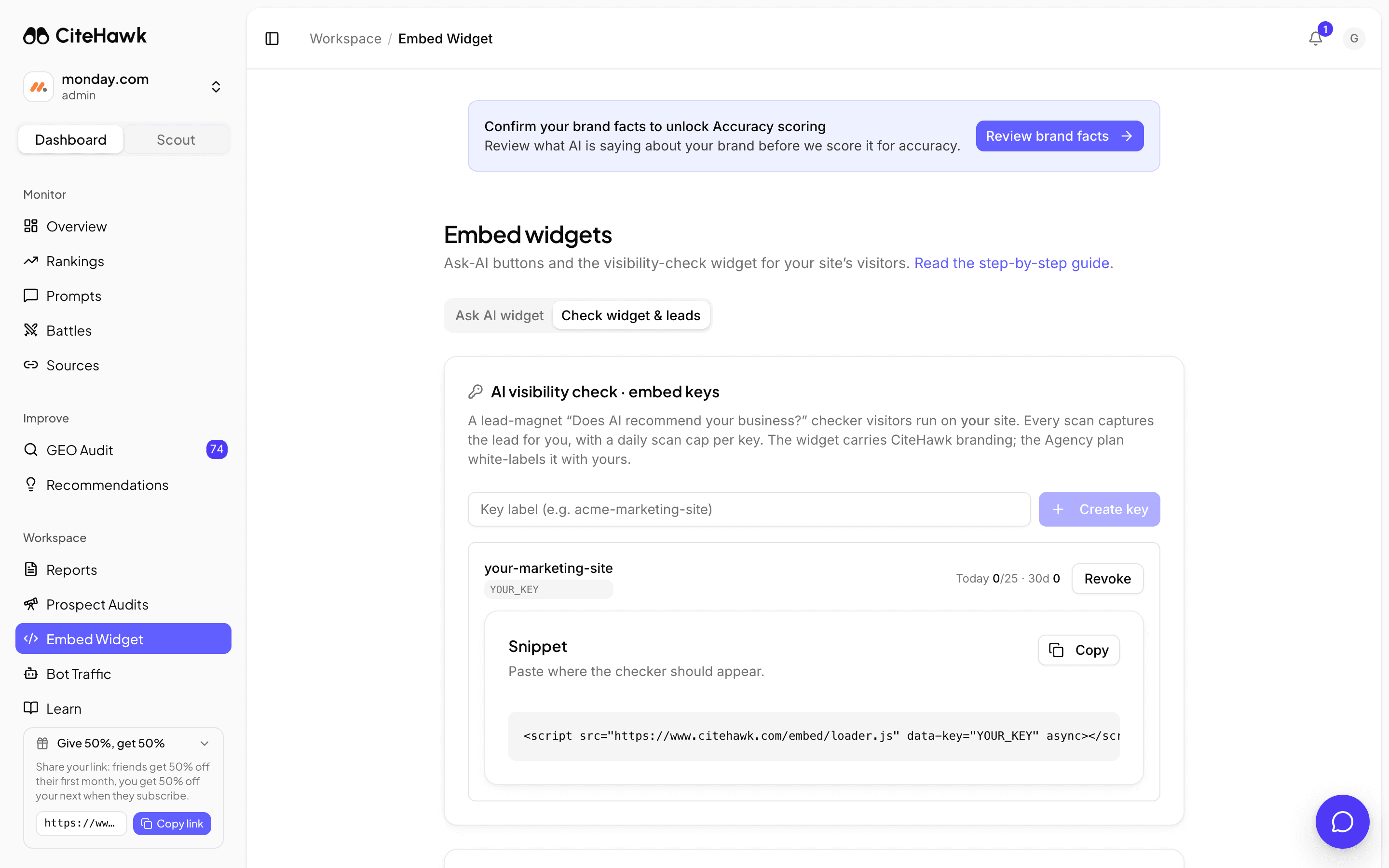
On the Check widget tab, create an embed key and paste its snippet where the checker should appear. Visitors run "Does AI recommend your business?" on their own domain, and every completed scan captures their name and email into your leads table below. Embed keys are part of the Growth plan and above.
You should see: Your key appears with its snippet and a daily scan meter.
Go further on Agency
The Agency plan white-labels the checker with your branding and booking link, removes the attribution line from the Ask-AI widget, and adds a hosted scan page you can link or iframe anywhere, plus an API for running scans from your own tools. Leads from all of them land in the same table.
If something doesn’t look right
The verification panel still says Not yet installed
It flips on the first real click, not on page load. Open a page carrying the snippet and click one of the buttons; the panel updates moments later. If nothing renders at all, check the snippet was pasted unmodified and is not stripped by your site builder.
I cannot create an embed key
Embed keys need the Growth plan or above on an active subscription, and only workspace admins can create or revoke them. Without a key, the checker still works at the hosted CiteHawk page with CiteHawk branding.
The widget shows a Powered by CiteHawk line
The attribution line is part of the widget on Starter through Growth. The Agency plan adds a white-label option in Appearance that removes it.
I rotated the snippet key and the buttons vanished
Replacing the snippet key invalidates the old snippet immediately. Paste the updated snippet from the Embed snippet card onto your site and the buttons return.