Build a prompt library that mirrors real buyers
Add, organize and refine the questions CiteHawk puts to the AI models every week, and keep a healthy mix of discovery, branded and competitor prompts.
About 10 minutes · 7 steps
Open your prompt library
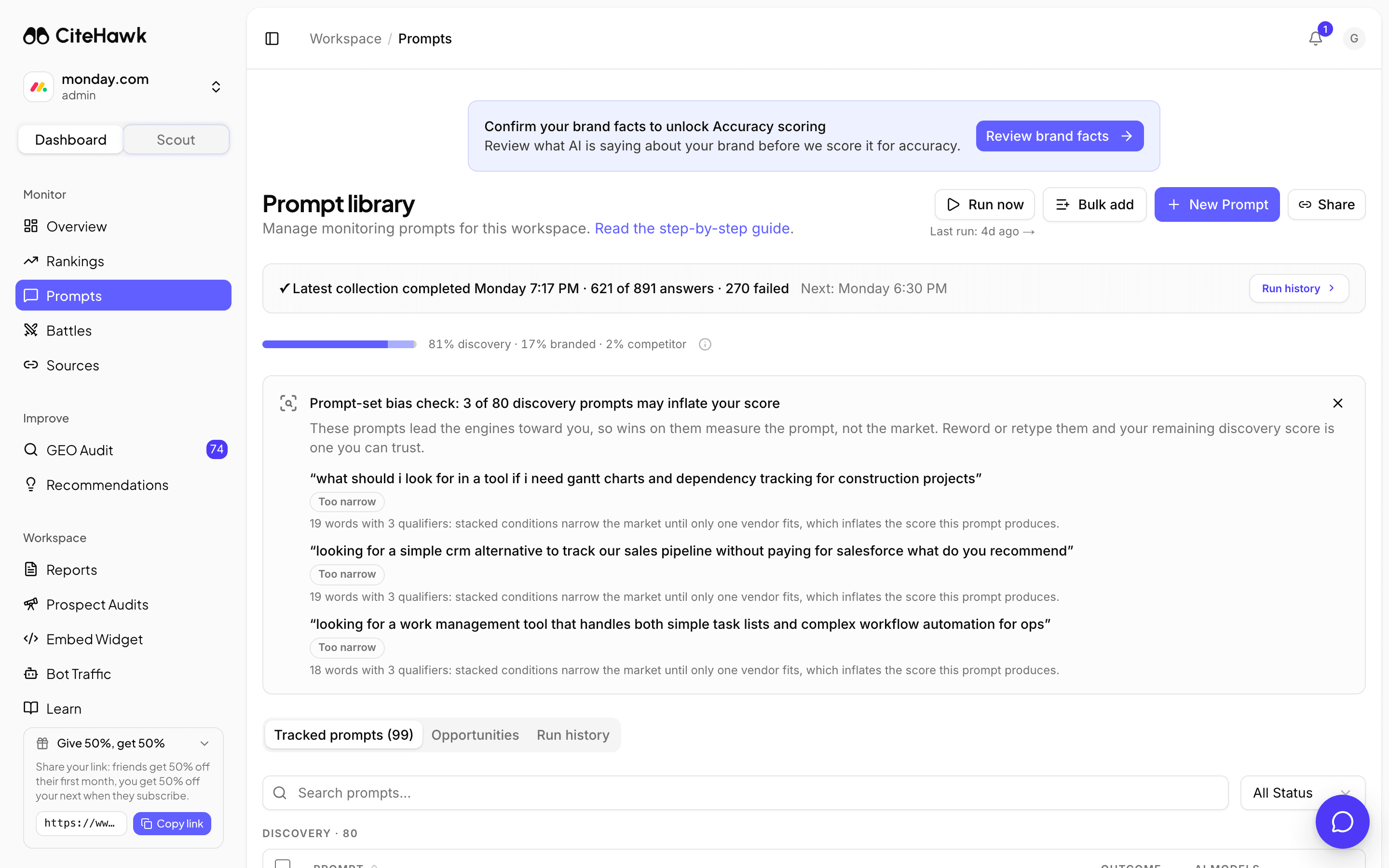
Open Prompts from the sidebar. Every prompt here is a question CiteHawk puts to the AI models on your schedule; every score in your workspace is computed from the answers. The strip at the top shows your latest collection and when the next one runs.
You should see: You can see your tracked prompts, the mix bar above them, and the collection status strip.
Check your mix first
The mix bar counts your prompts by type. Discovery prompts never name any brand and measure whether AI models find you on their own; branded prompts ask about you directly; competitor prompts ask about the other names in your race. Scoring needs discovery and branded prompts to work from, and the bias check below the bar flags a set that leans too hard on brand names.
Write a prompt like a buyer would
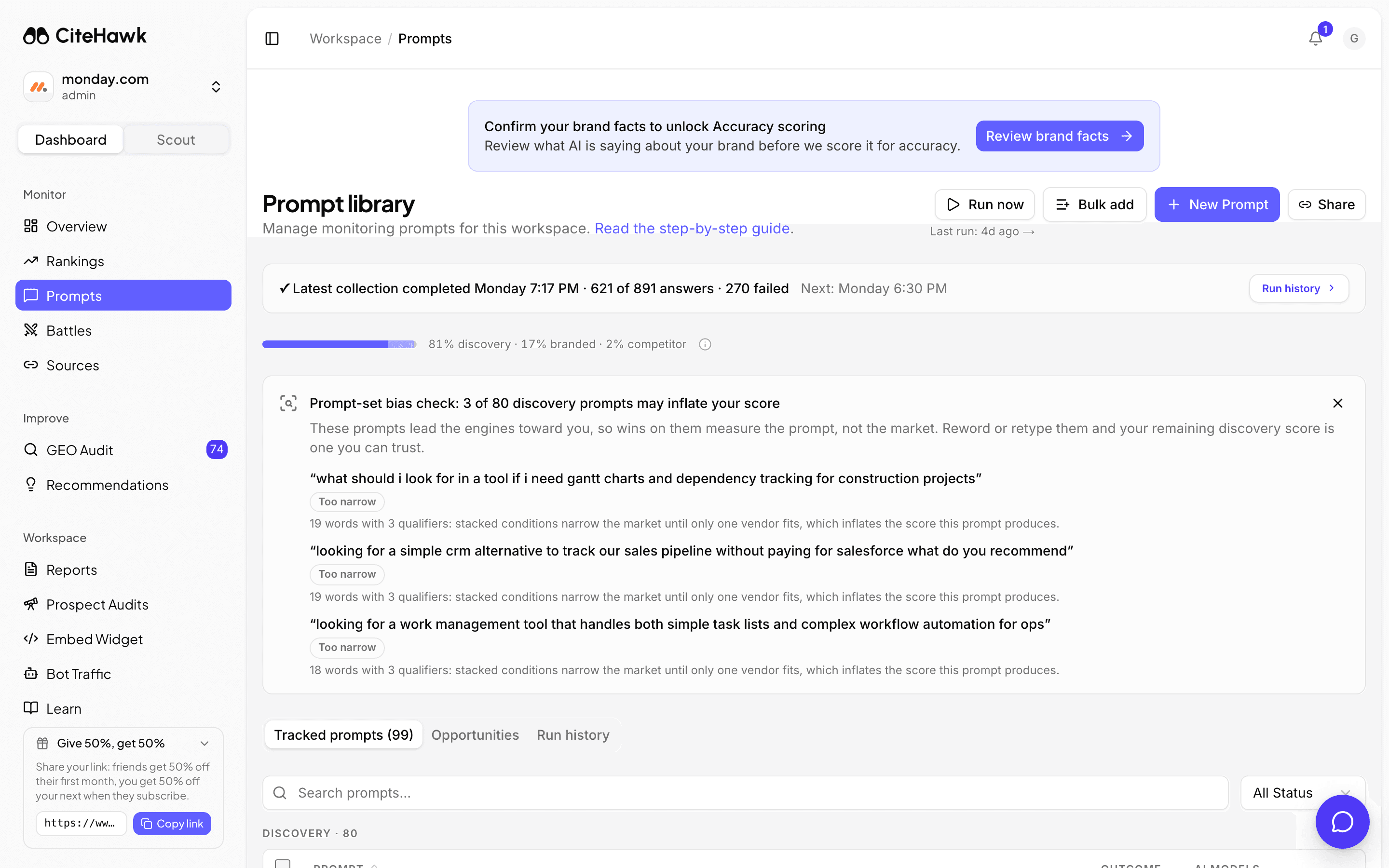
Click New Prompt and type the question the way a real buyer asks it, with the words they would actually use. The name is optional, and the type is classified for you on save. Leave Active on so the prompt joins your scheduled runs.
You should see: The prompt appears in your tracked list with its classified type.
Bulk add a whole batch
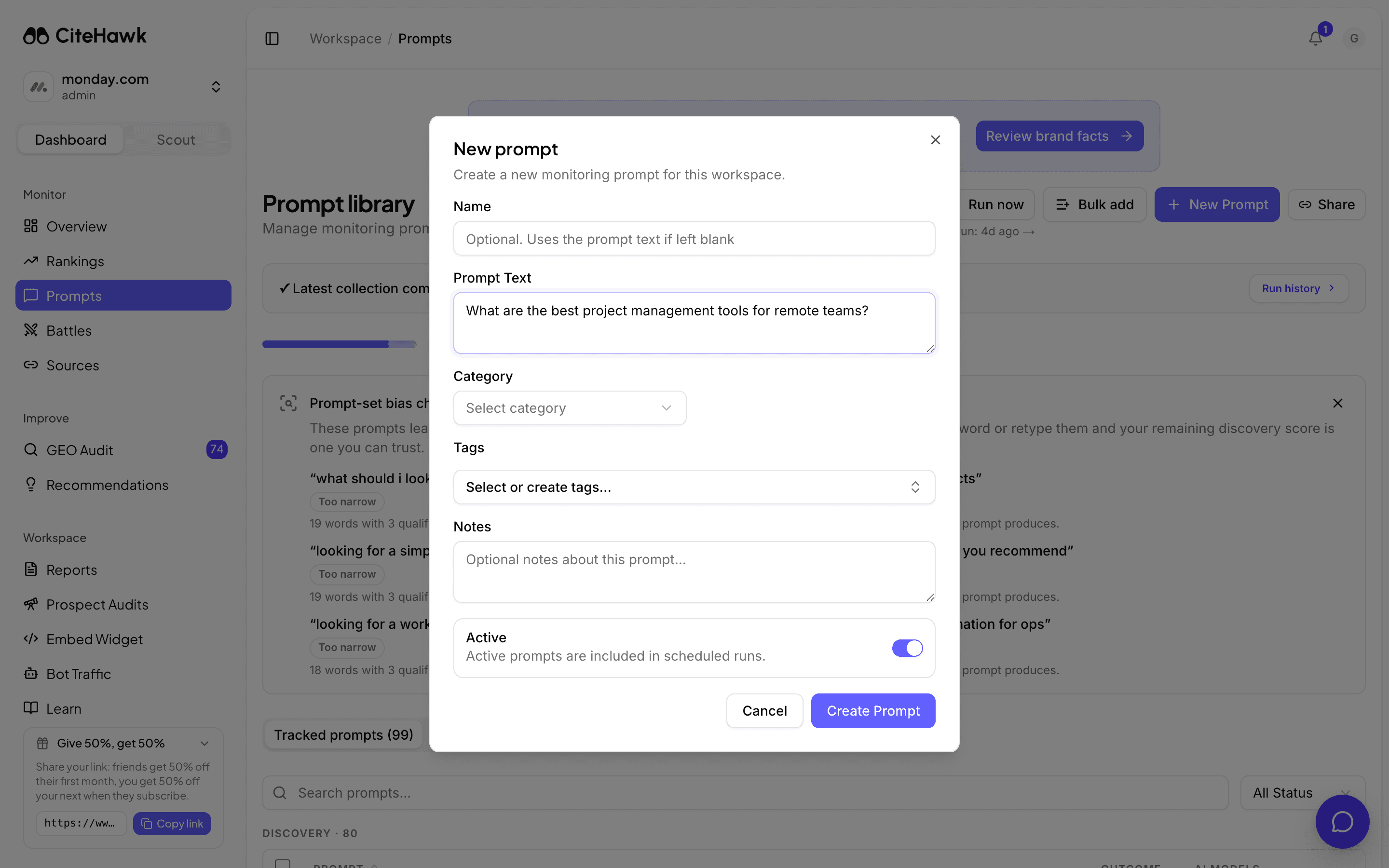
Have a list already, from sales calls, support tickets or keyword research? Click Bulk add and paste one prompt per line. Duplicates are skipped automatically and each line is classified on the way in, so pasting generously is safe.
Mine the Opportunities tab
The Opportunities tab holds prompts CiteHawk suggests for your brand, ranked by opportunity score: questions with real buying intent where your category is in play. Click Add on the ones that fit and dismiss the rest; Suggest more finds a fresh batch. The counter shows how many prompt slots your plan has left.
Prune as you learn
A library earns trust by staying honest. Pause prompts you want to keep but not run, and mark ones that never fit as irrelevant so suggestions improve. Select several rows to act on them together. Deleting is for mistakes; for anything that ran in a collection, prefer pausing so history keeps its context.
Run a collection when you cannot wait
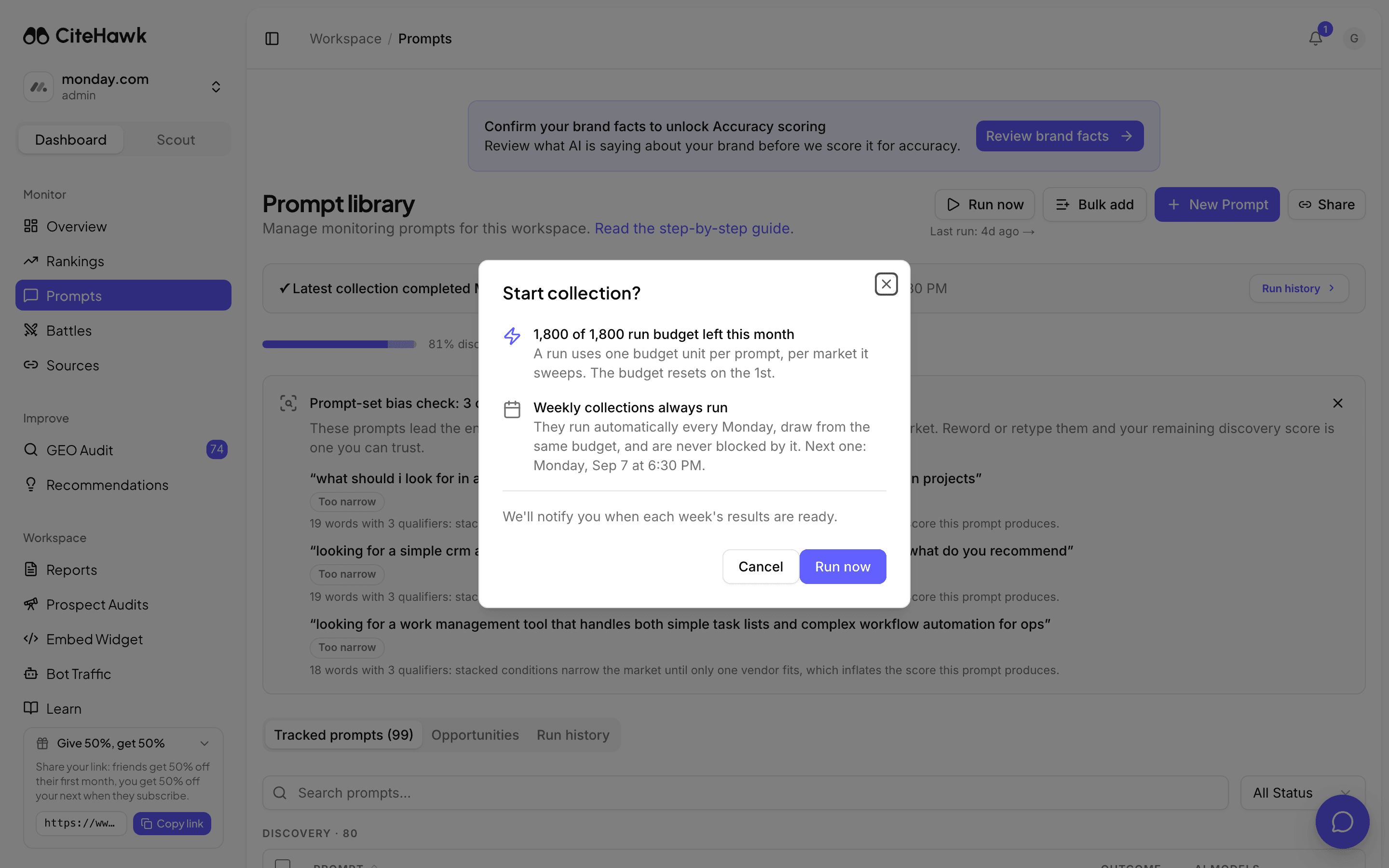
Weekly collections run automatically every Monday and are never blocked by your run balance. After a meaningful change to your library, Run now starts a collection on demand; the confirmation shows how much of your plan’s run budget is left this month before anything starts.
You should see: The Start collection dialog shows your remaining run balance.
If something doesn’t look right
Run now is disabled
Hover it for the reason. Scoring needs at least two active discovery prompts and two active branded prompts, so a small library disables the button until the mix is there. It also stays disabled while your first collection is still running.
I hit my prompt limit
Prompt slots are pooled across all workspaces on your account, so another workspace may be holding them. Pause or delete prompts you no longer need, or upgrade for a bigger pool. The Opportunities tab shows your remaining slots at the top.
Opportunities says no new suggestions
You are caught up: suggestions regenerate as your collections reveal new gaps, so check back after the next run. Bulk add is the fastest way to grow the library from your own material in the meantime.
A prompt I added never shows results
Results arrive with the next collection, not on save. Check the prompt is Active, then wait for the Monday run or use Run now. The collection strip at the top names the last run and the next scheduled one.