Read your rankings: brands, models, markets
Where your brand stands against the competitors you track, which AI models name you, what they say about you, and how each market differs.
About 8 minutes · 6 steps
Open Rankings
Rankings sits under Monitor in the sidebar. Everything on the page comes from your latest collection: the line under the title names the day it completed, and every weekly or manual run refreshes it. Four tabs split the job: You vs competitors, By platform, By market and Sentiment.
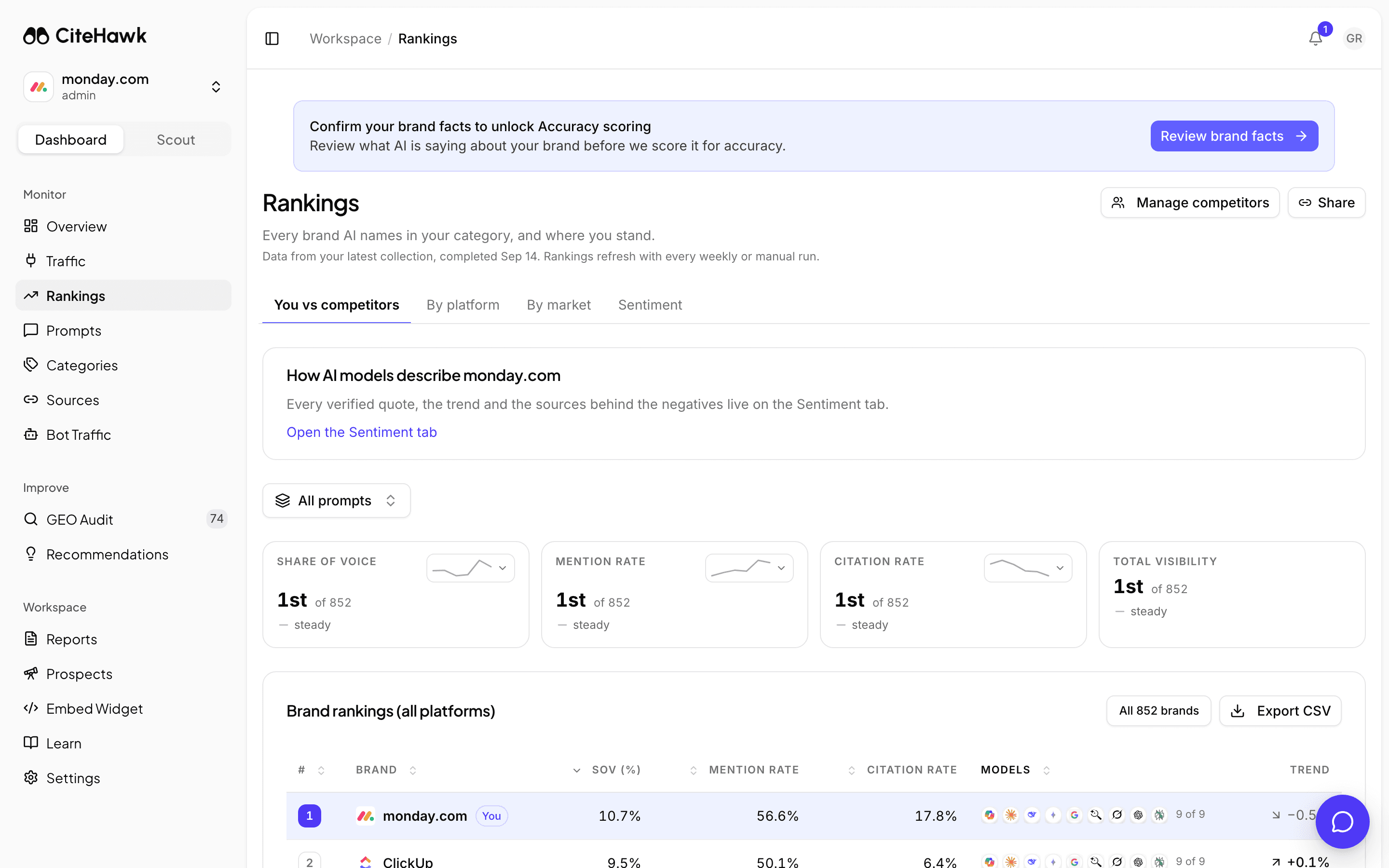
See how you stack up against the competitors you track
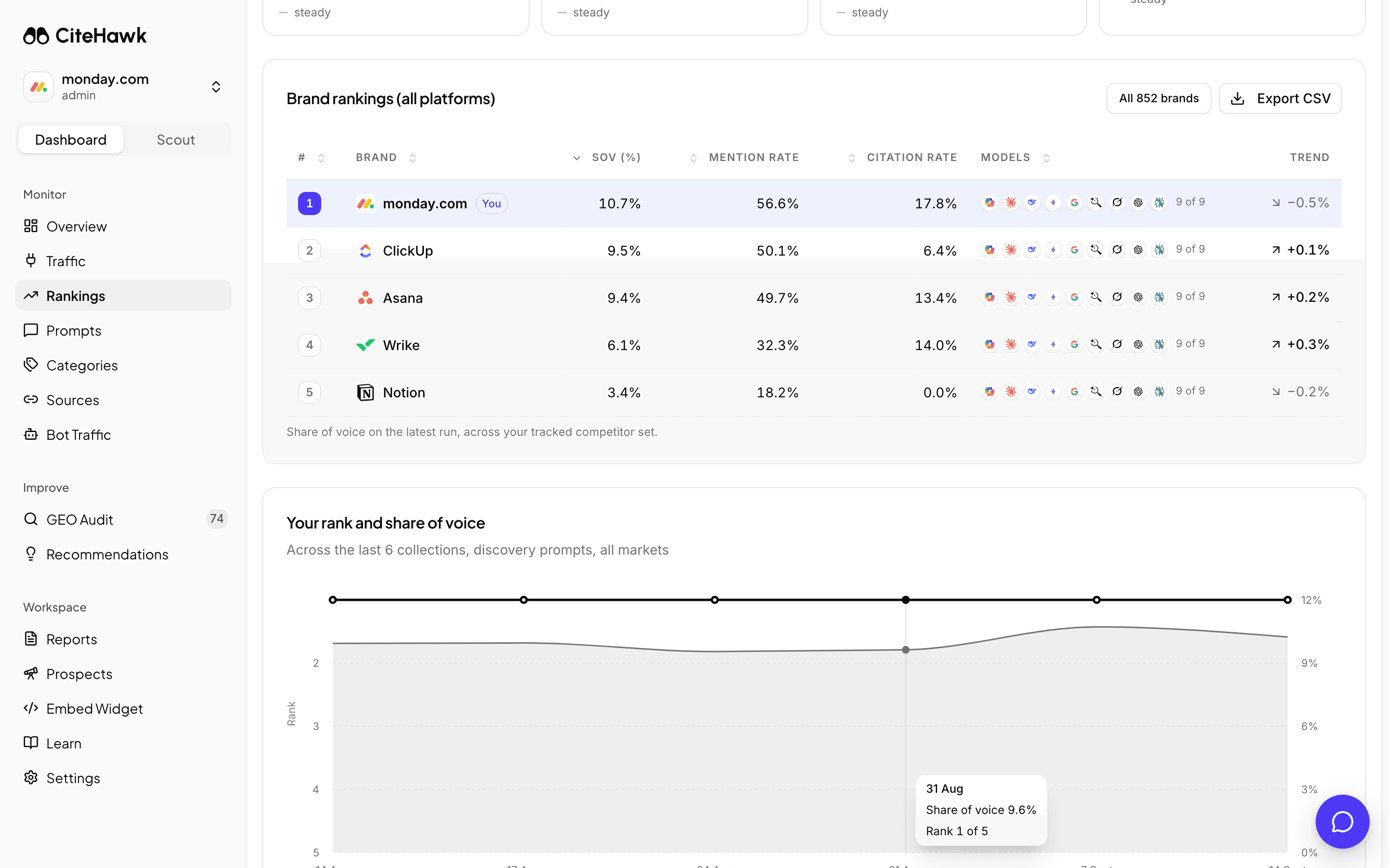
The Brand rankings table ranks your brand and each tracked competitor by share of voice across all AI models, with mention rate, citation rate, average sentiment and how many models name each brand. Your own row carries a You chip, and the strip above the table gives your rank at a glance. Below the table, Your rank and share of voice charts the move since the last collection.
You should see: Your brand shows the You chip in the table and its rank in the strip at the top.
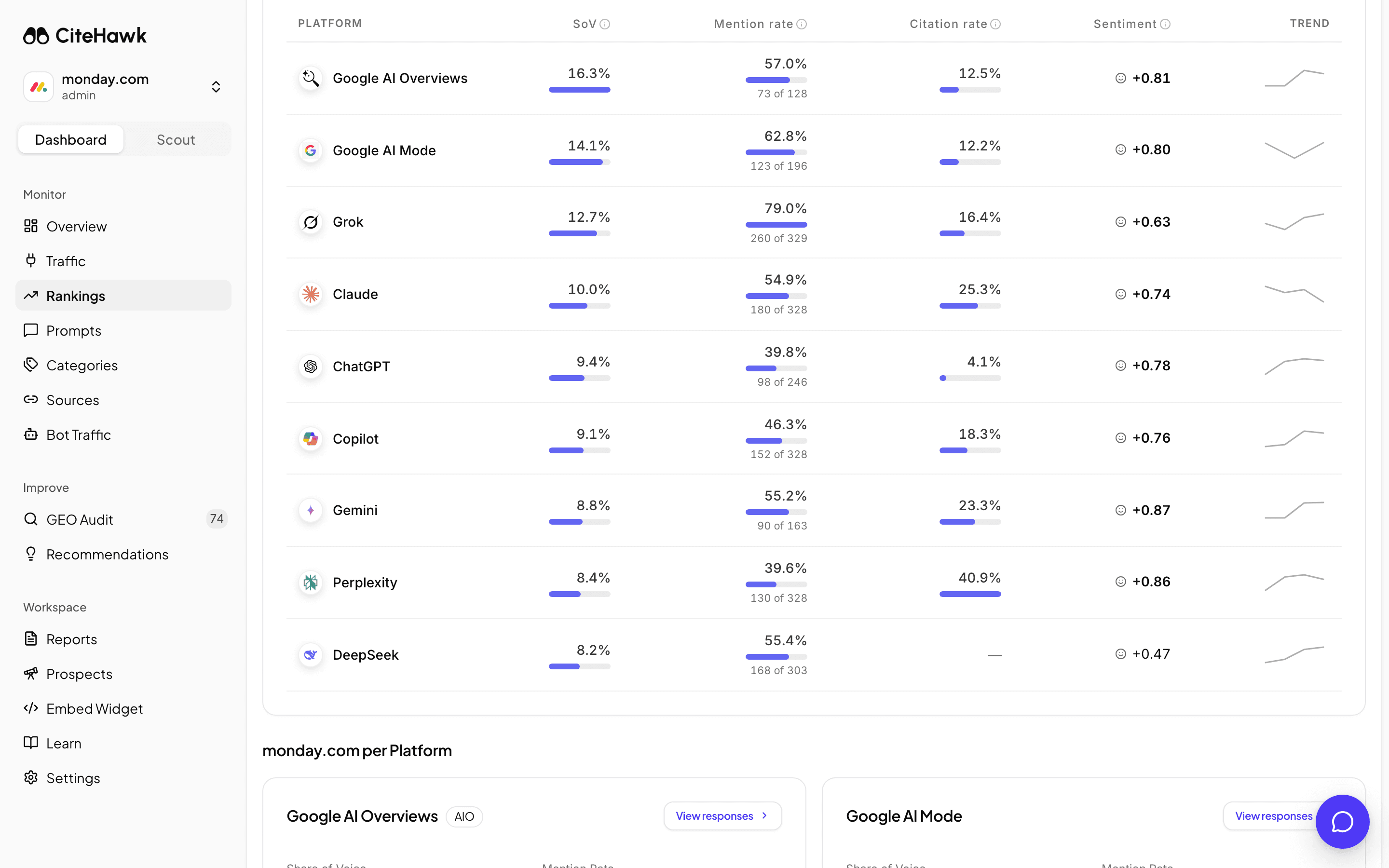
Compare the AI models one by one
By platform breaks the same numbers out per AI model: share of voice, mention rate, citation rate, citations per answer and average sentiment. For Google AI Overviews it also shows the AIO trigger rate, the share of your prompts that produced an AI Overview at all, so you can tell never mentioned from no overview shown.
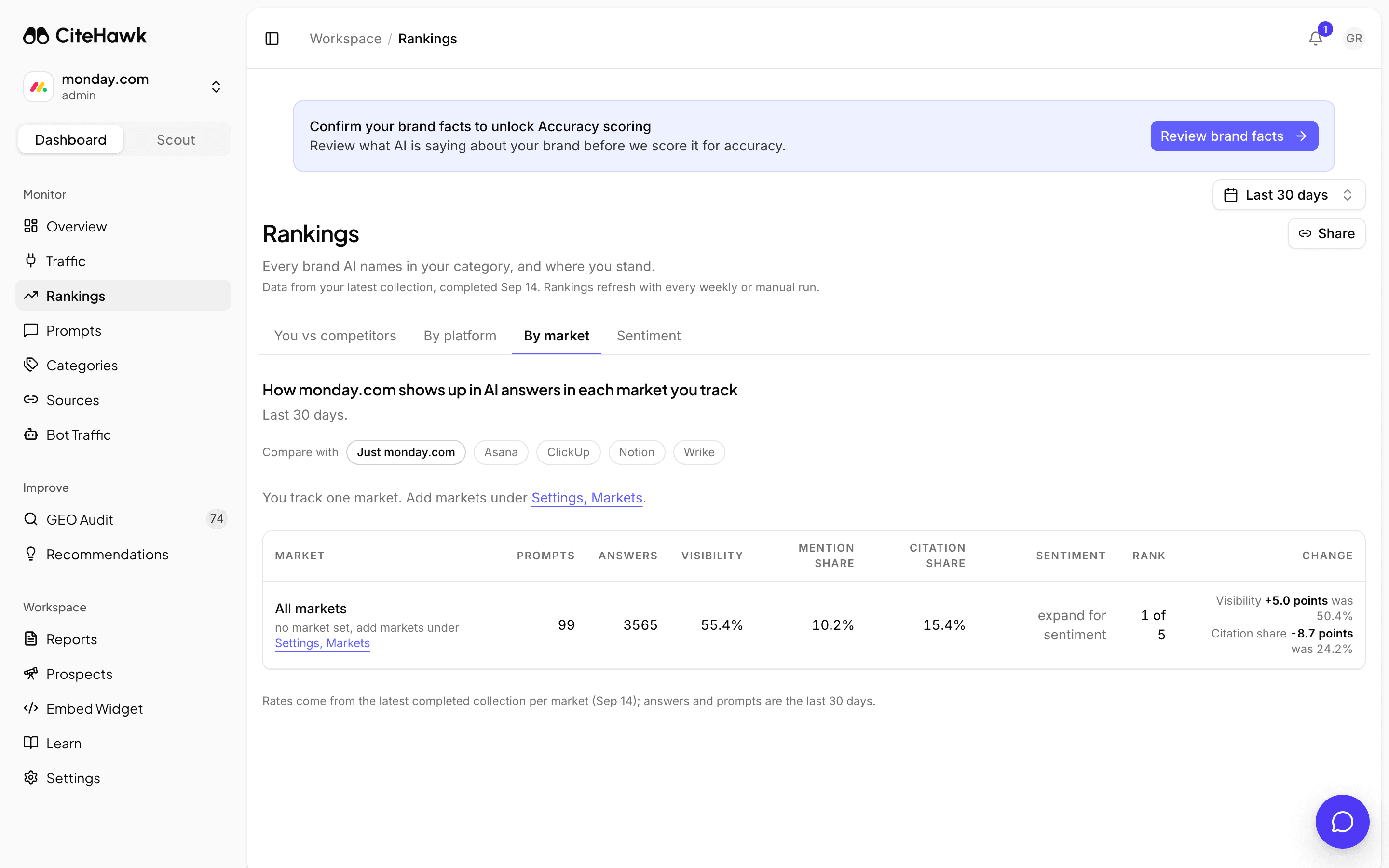
Read each market on its own
By market lists every market you track with its visibility, mention share, citation share and sentiment. Open a market row to see the rankings inside it. If you track one market, the tab says so and points you to Settings, Markets to add more.
Read what the AI models say, in their own words
Sentiment shows the perception the AI models hold of your brand: what they praise and what they criticise, each with the verified quote it comes from and the source behind it. Use Compare with to put a competitor beside you, and switch to the tab for one model when it stands out from the rest.
You should see: Each praised or criticised aspect opens the quotes behind it.
Change who you are measured against
Rankings measure you against the competitors on this page, so keep the set honest. Manage competitors adds or removes names; a change takes effect from the next collection. Keep at least three, and choose the names buyers actually compare you with.
If something doesn’t look right
The table says First collection in progress or Waiting for data
Rankings need one completed collection. The first report lands a few minutes after signup; a workspace whose prompts are all turned off collects nothing.
A competitor is missing from the table
Only tracked competitors are ranked. Add it under Manage competitors and it appears after the next run.
Your rank shows no move
A rank needs two collections to show a move; the next run adds the second point.